Vantage

PartnerHub

Vantage · Partner guide

Your first week on PartnerHub

Every screen you will use, in the order you will meet them — real screenshots from a new partner account.

Watch first

How PartnerHub works, in about four minutes

One sale from start to finish: the partner holds a unit and sends the quotation, the client confirms and books on their phone, Vantage processes it, and the commission is paid.

This is a demo account, not a real one

The agency, clients, units and amounts in this video are sample data made for this guide. No real partner, client or payment is shown.
Demo account

Chapters

Narration in English or Urdu, with captions.

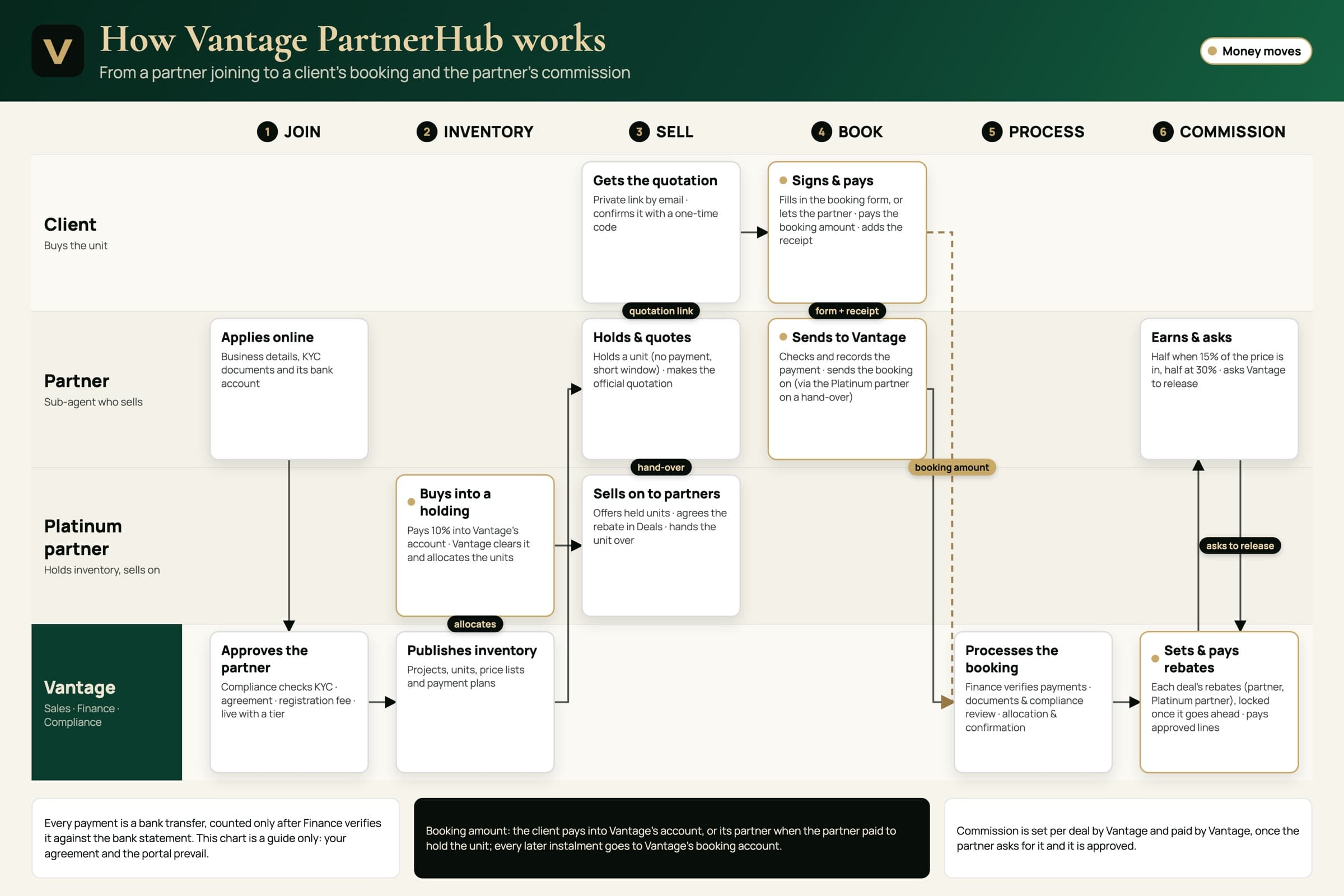
The whole flow, on one page

Who does what at each step, from joining to commission. Print it and keep it by your desk.

The whole flow, on one pageDownload the chart (PDF)

Part one

Getting in

Signing up takes a minute and gets you straight into the portal. Here is what to have ready, and which documents you will be asked for.

1.1Applying

Everything starts at dealers.vantagedevelopers.com.pk. Press Become a partner and create a login. Keep your CNIC, your business details and a cancelled cheque of your payout account to hand — it takes about fifteen minutes, and you can save and come back at any point.
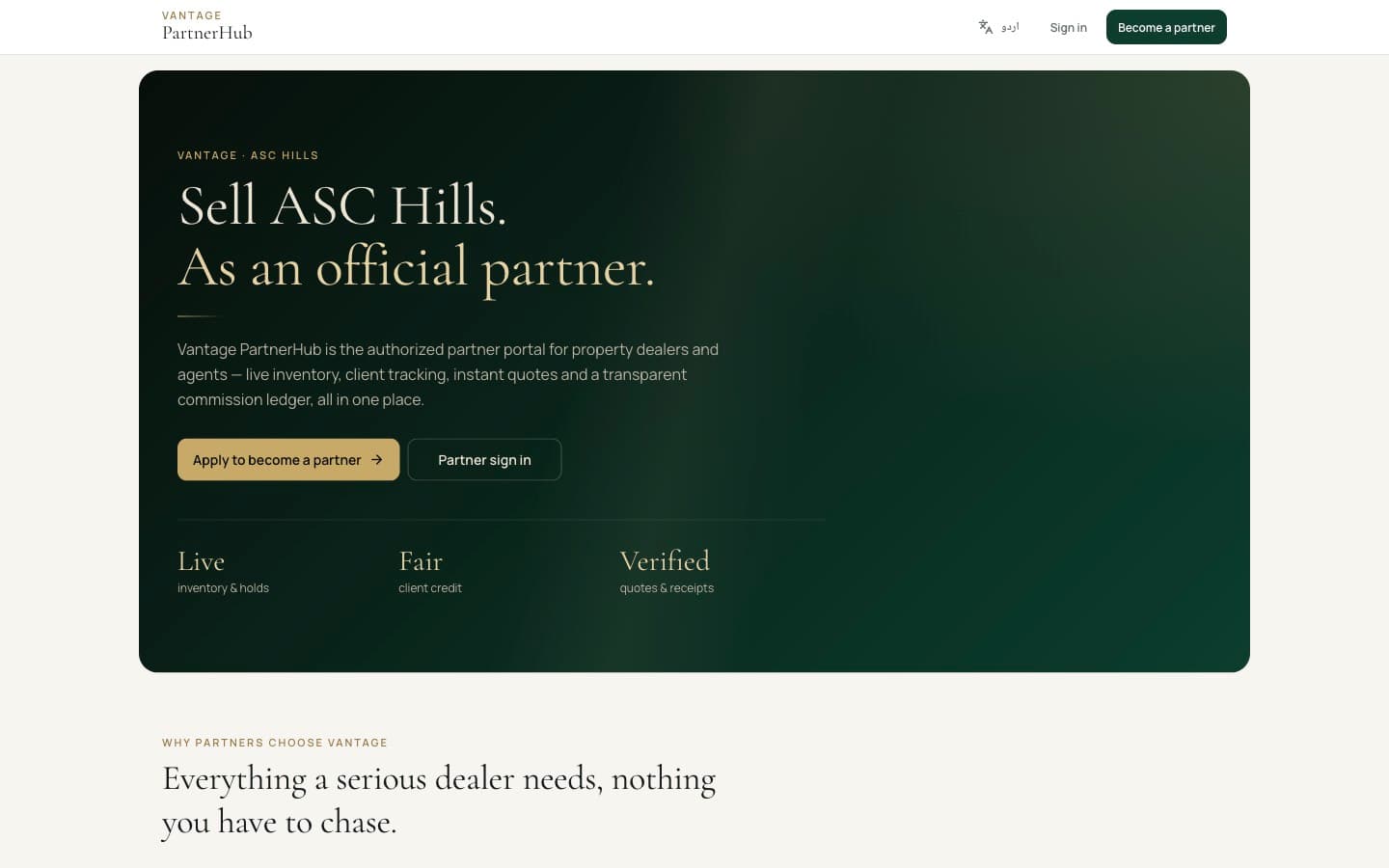
The public landing page. “Apply to become a partner” starts the application; “Partner sign in” is for once you have an account.

1.2The documents you will accept

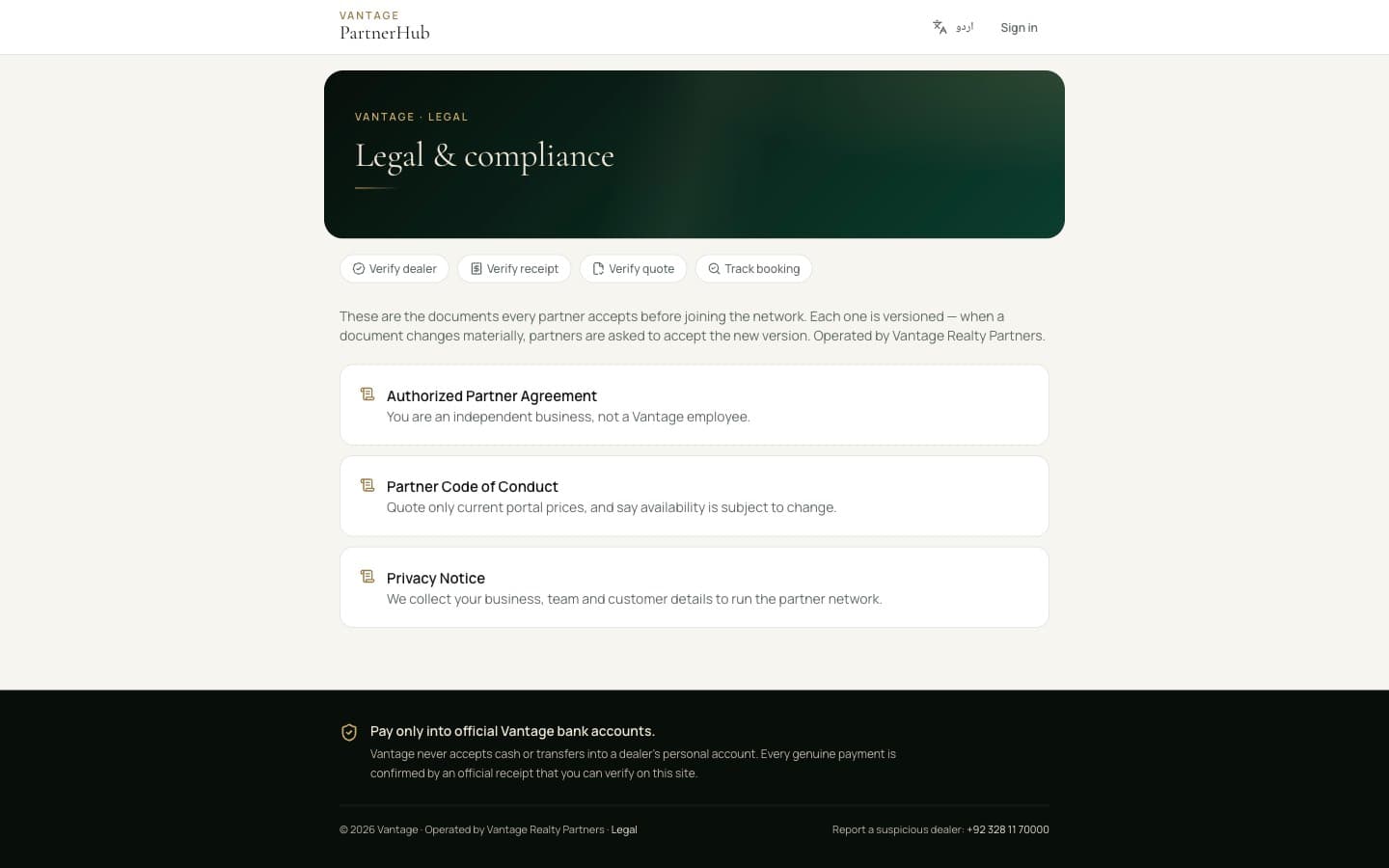
Three documents govern the partnership, and they are signed in two different places.

The Partner Code of Conduct and the Privacy Notice you accept in the portal, with a tick against each. The Authorized Partner Agreement is signed in person with our team — it is not signed here, and nobody will ask you to click through it. Once signed, we record it on your account and you will see it tick off on your dashboard.

All three are public. Read every word before you create an account if you want to.

The public legal page. No login needed, and the full text of each document is one click away.

The one mistake everybody makes

In the application's Declarations and Consents sections, ticking the boxes is not enough. Press the Save button underneath each section, or it stays incomplete and your application will not submit.

Part two

Your portal

The portal is yours from the moment you sign up. Selling opens as you clear the four items on your checklist.

2.1The dashboard

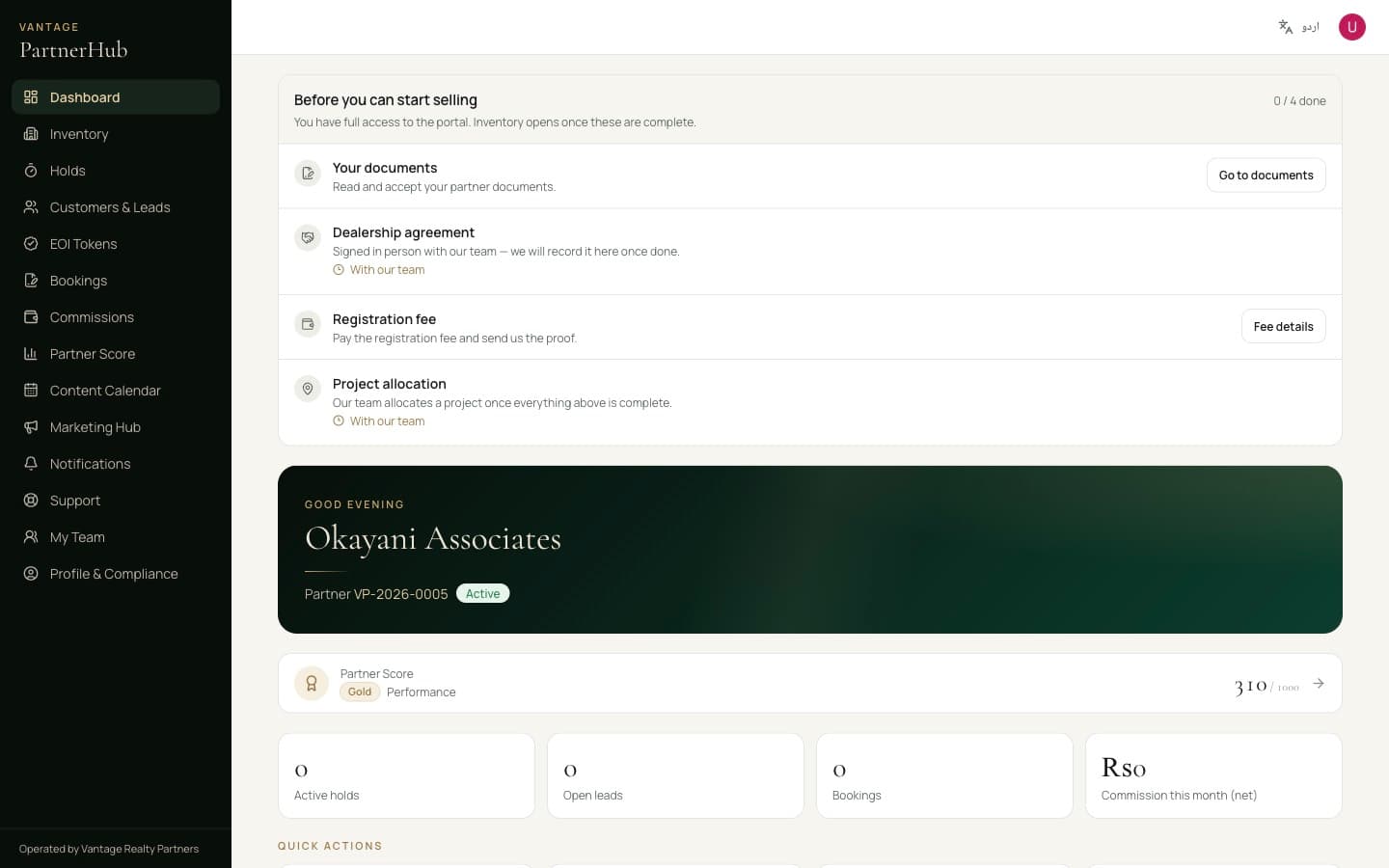
Your home screen, and the first thing on it is the checklist: what stands between you and selling. Four items, each marked as yours to do or ours. It disappears once everything is cleared.

Two of them are ours: the dealership agreement, which we record after you sign it in person, and the project allocation, which we do once everything else is complete. The other two are yours — your documents and the registration fee — and each has a button taking you straight there.

Below the checklist is the portal proper: your Partner ID, your Partner Score, and counters for holds, leads, bookings and commission. Everything else lives down the left, and that navigation does not change.

A new partner's dashboard. The checklist sits above everything until all four are cleared.

Part three

Selling a unit

The core loop, in the order it actually happens: register the client, find the unit, hold it, quote it, book it.

3.1Register every client you work with

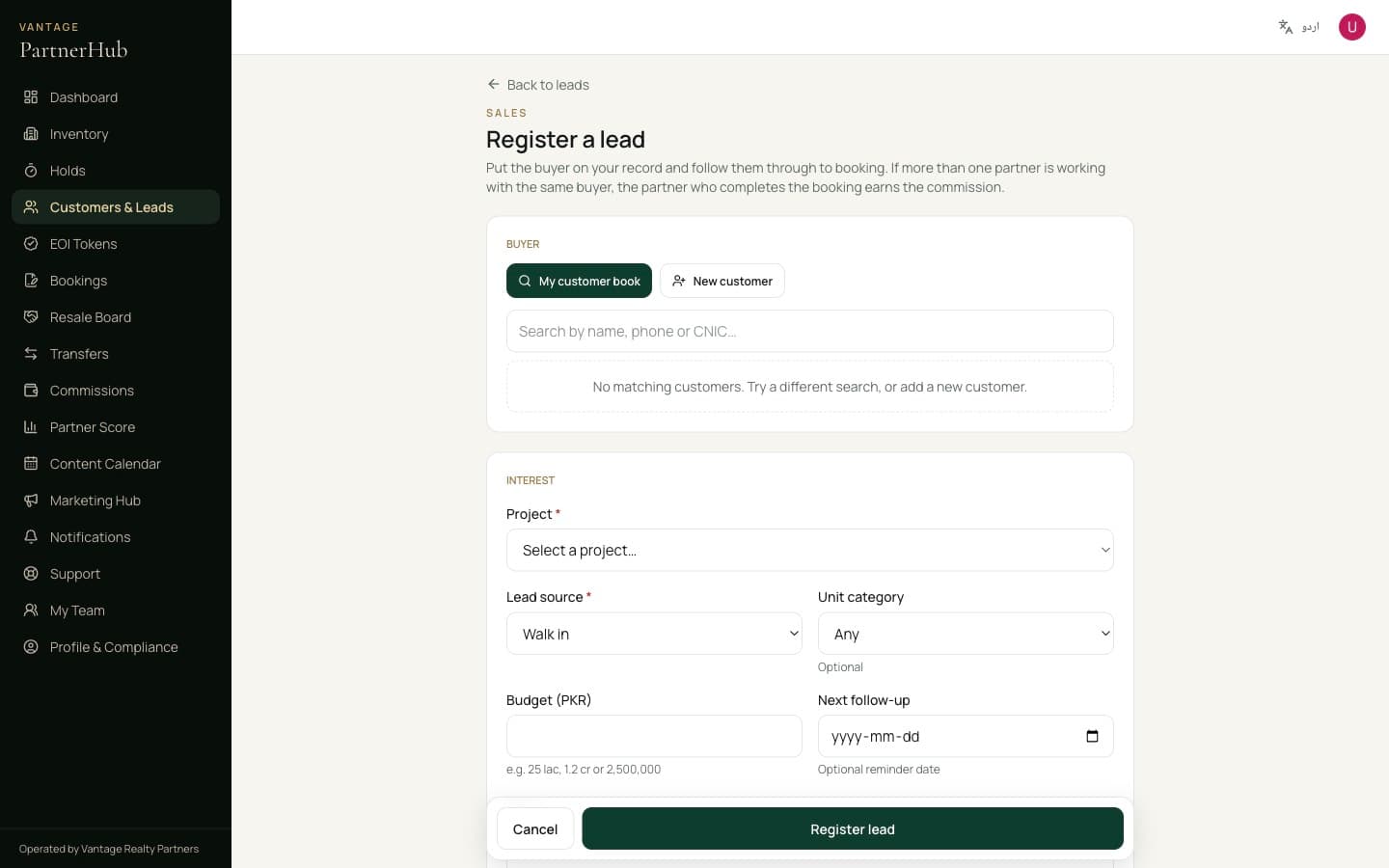
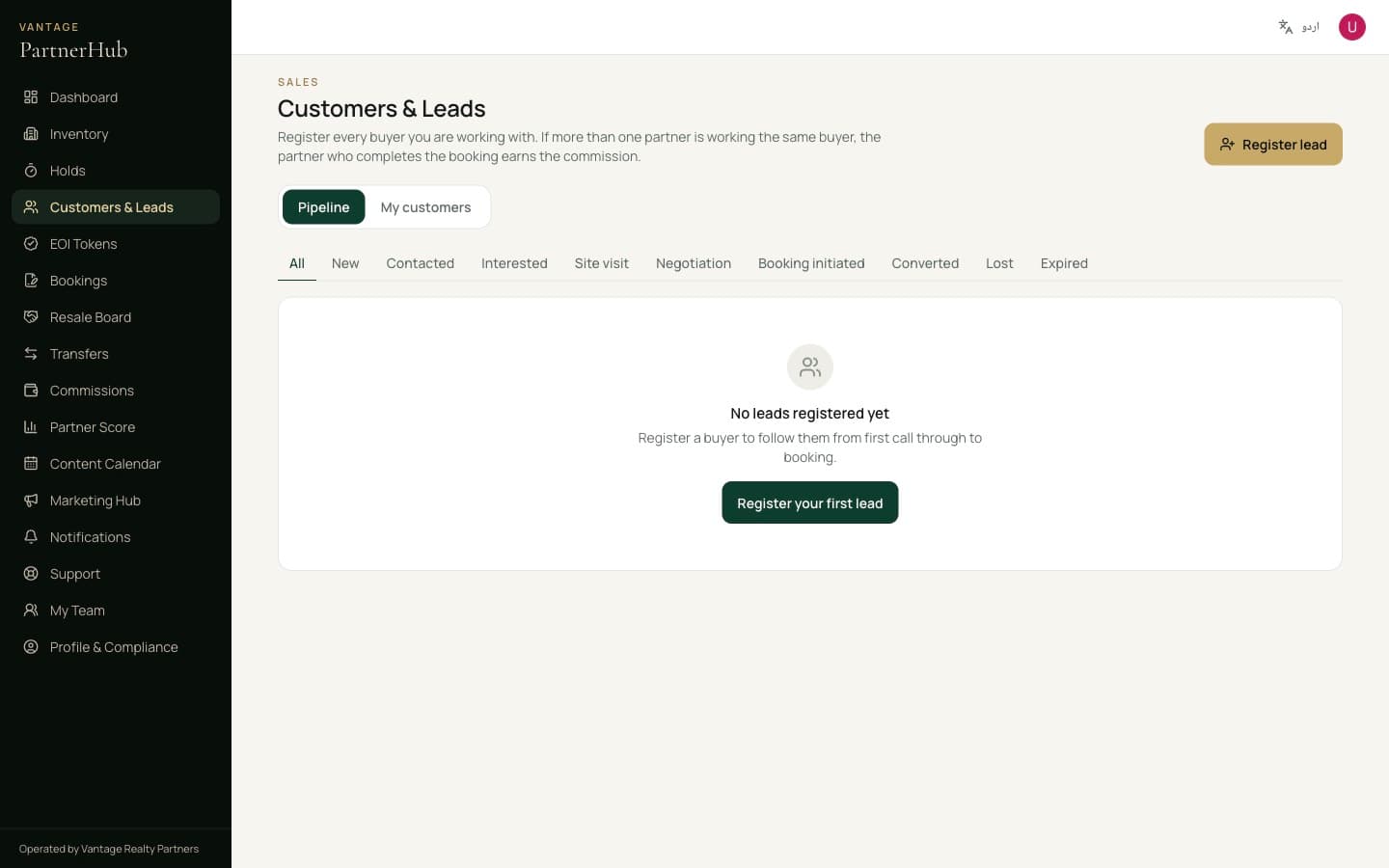
Register a client as soon as you start working with them, so they are on your record. More than one partner may be working with the same client — the partner who completes the booking earns the commission.

When you bring the client to site, the Vantage team confirms the visit on your lead. That record is what counts if there is ever a question about who brought them.

Registering a client — name, contact and which project they are interested in.
Your client list, with each client's stage and any site visit Vantage confirmed.

3.2Find the unit

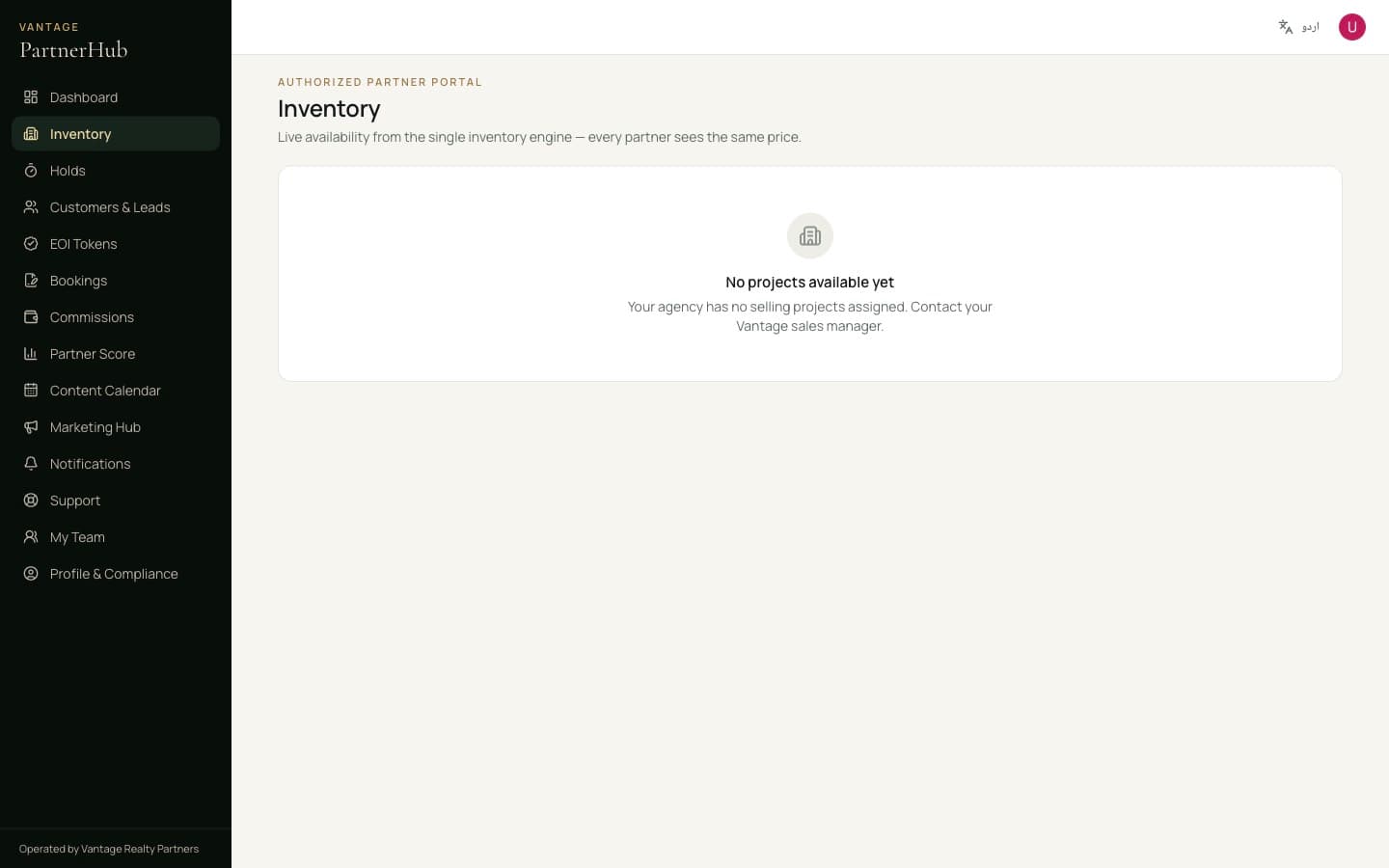
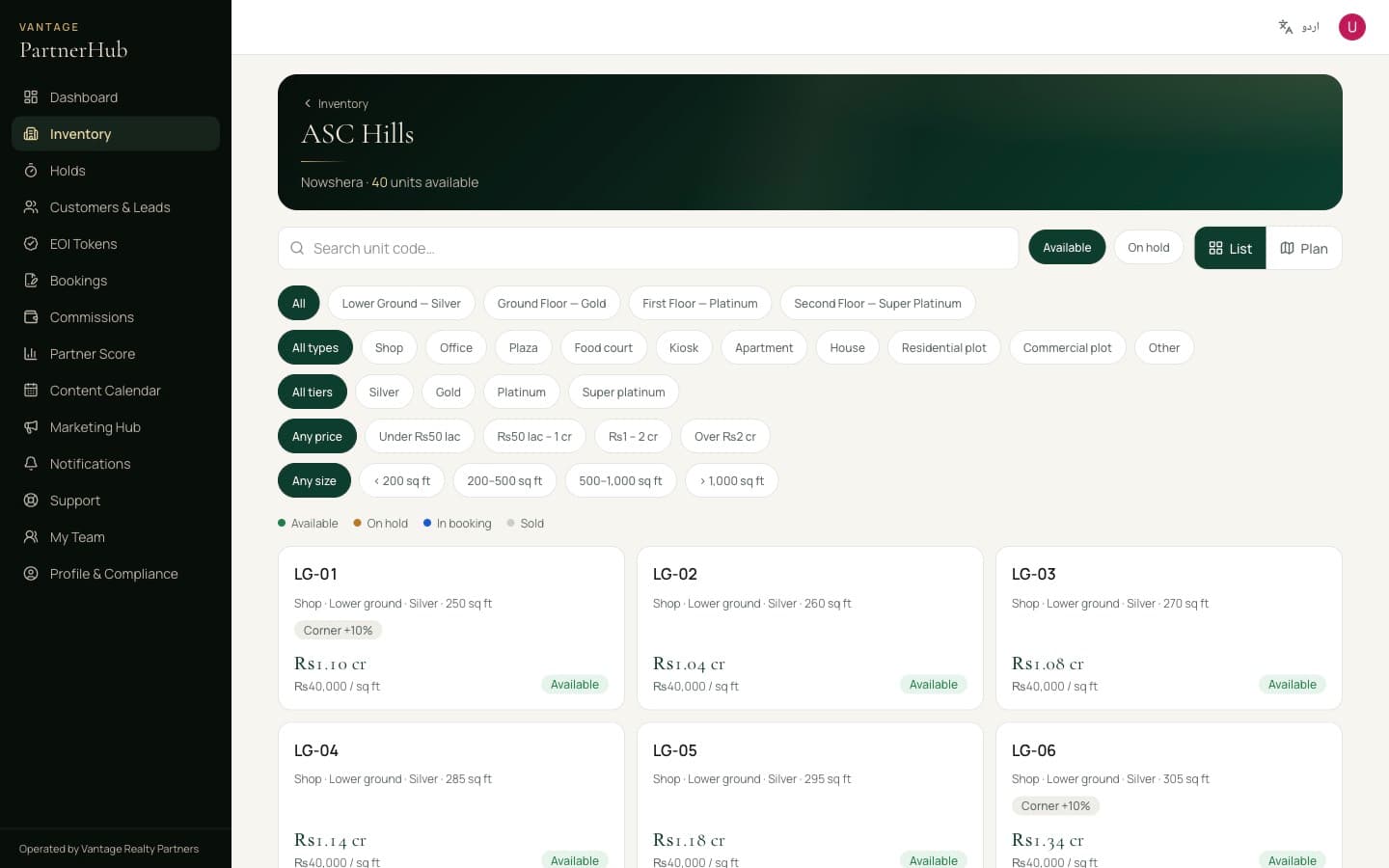
Inventory shows the projects allocated to you, each with its floors, how many units are still available and which price list is in force.

Allocation is deliberate and per project. Until your documents, the dealership agreement and the fee are all complete, no project is allocated and this screen is empty — that is the checklist on your dashboard doing its job, not a fault.

If it still says no projects available yet once everything is ticked off, speak to your Vantage sales manager.

ASC Hills with its four floors and the current price list. Every partner sees the same numbers.
Inside a project: filter by floor, category or tier.

3.3Read the unit before you quote it

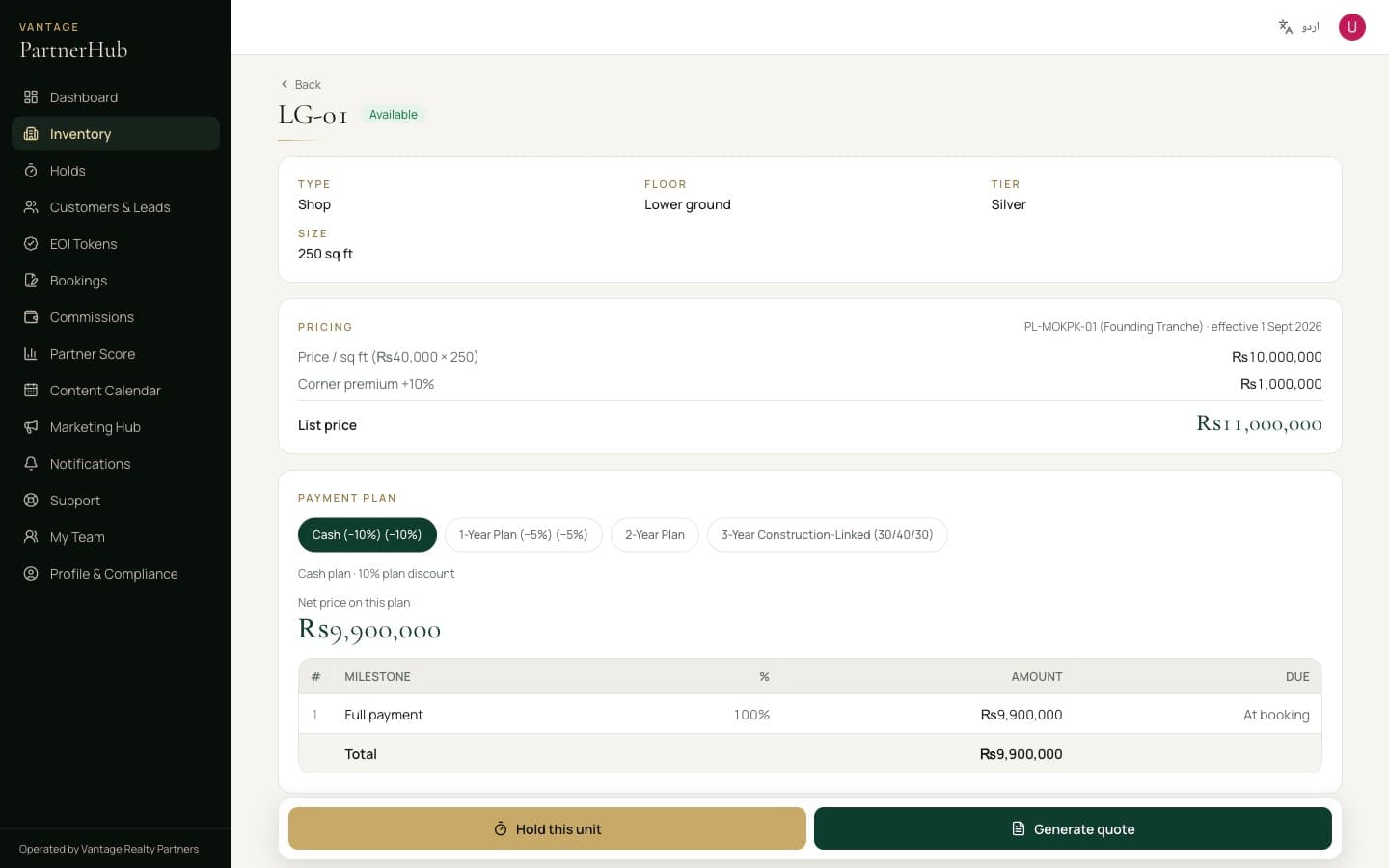
The unit page is where the detail lives. Size, floor and tier at the top; then the pricing broken down — rate per square foot, plus any premium.

Underneath, every payment plan available on that unit. Select one and the net price on this plan and the milestone schedule update. This is what you quote from — never a figure you worked out yourself.

Unit LG-01. The cash plan's 10% discount brings Rs 11,000,000 down to Rs 9,900,000, with the milestone schedule below. Hold without payment and Generate quote sit at the bottom.

Never quote from an old price list

What the portal shows is what is authorised. If a client shows you a price from a screenshot or a forwarded message, check this screen before you answer.

3.4Hold it while they decide

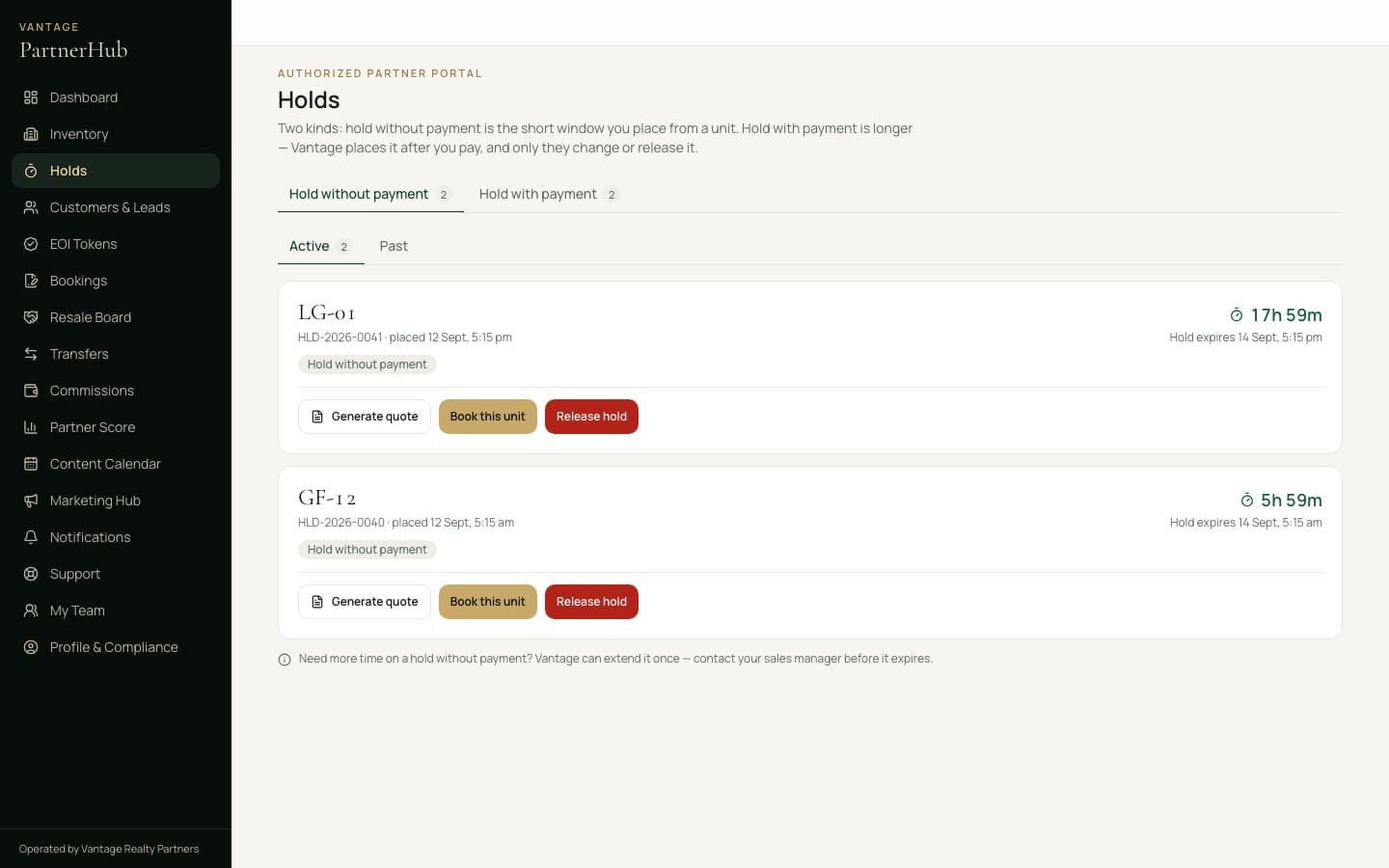
Holds come in two kinds. Hold without payment is the short window you place yourself — press that button on the unit. It is reserved for your client, and the countdown runs on Holds.

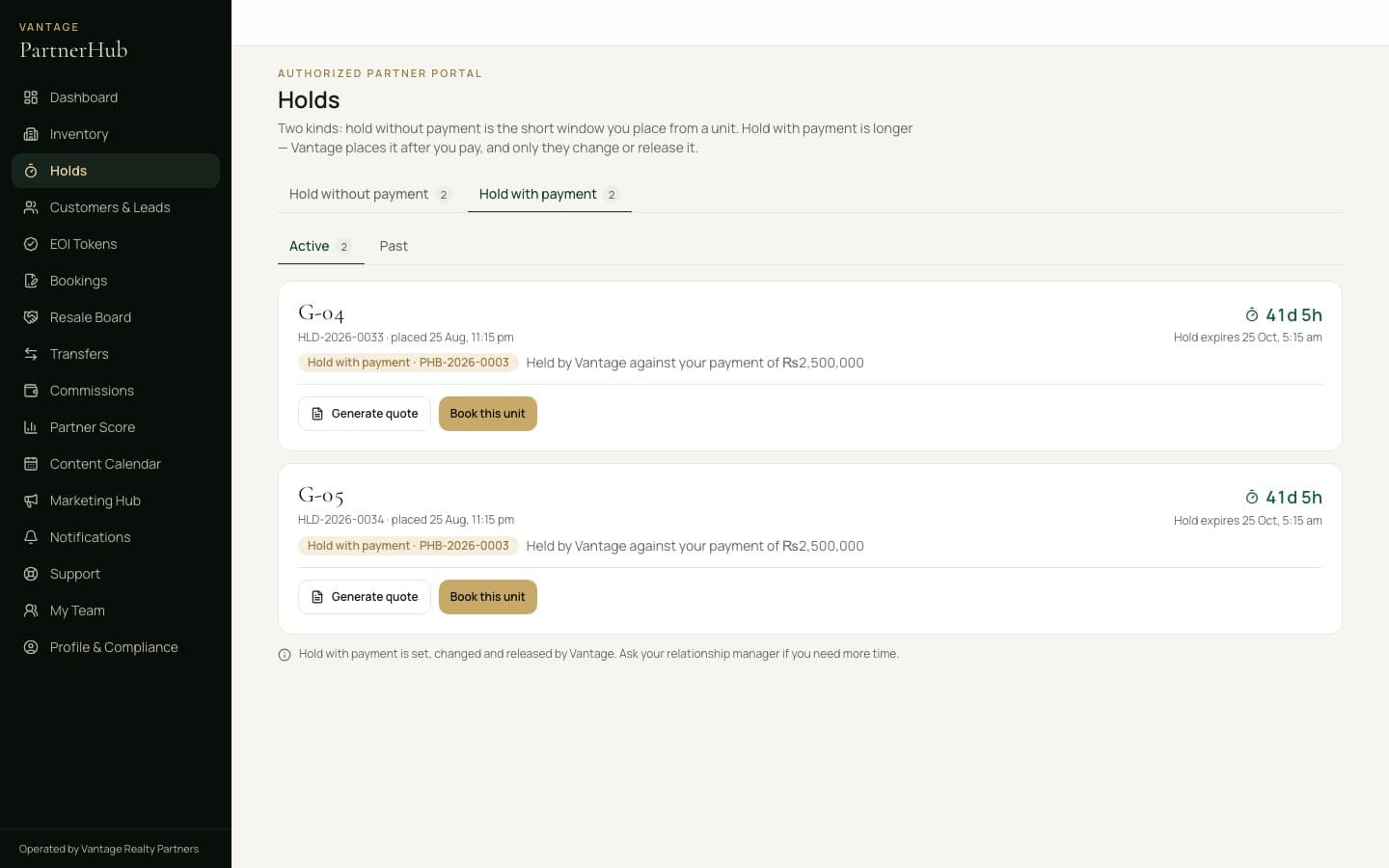
Hold with payment is different. If you pay Vantage upfront for a number of units, Vantage holds them for you for longer — often one to two months. Those show on the other tab, with the payment behind them, and only Vantage changes or releases them.

Hold without payment — the short window you place from a unit, with the time remaining on each.
Hold with payment — units Vantage is holding after you paid, with the payment and the end date.

A hold is not a booking

It is a temporary inventory control — not a booking, not an allotment, not a confirmation of ownership. Never describe it to a client as any of those.

3.5Send a quotation

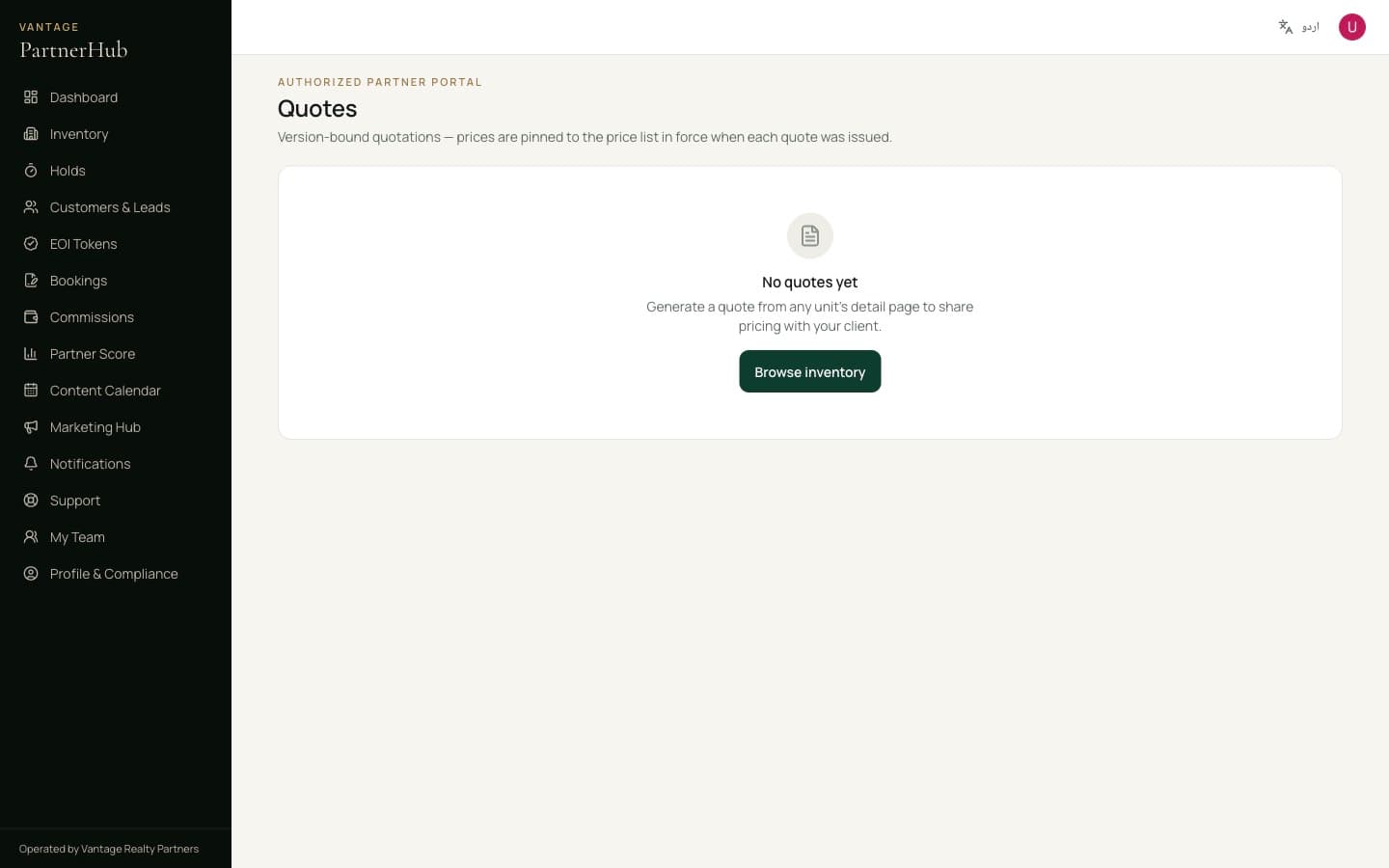
Press Generate quote. The PDF carries your Partner ID and a verification code, so your client can confirm on the public site that it is genuine and came from you. That verification is what separates you from someone passing off a forged price list.

Every quotation you have issued, with its status and validity.

3.6Convert to a booking

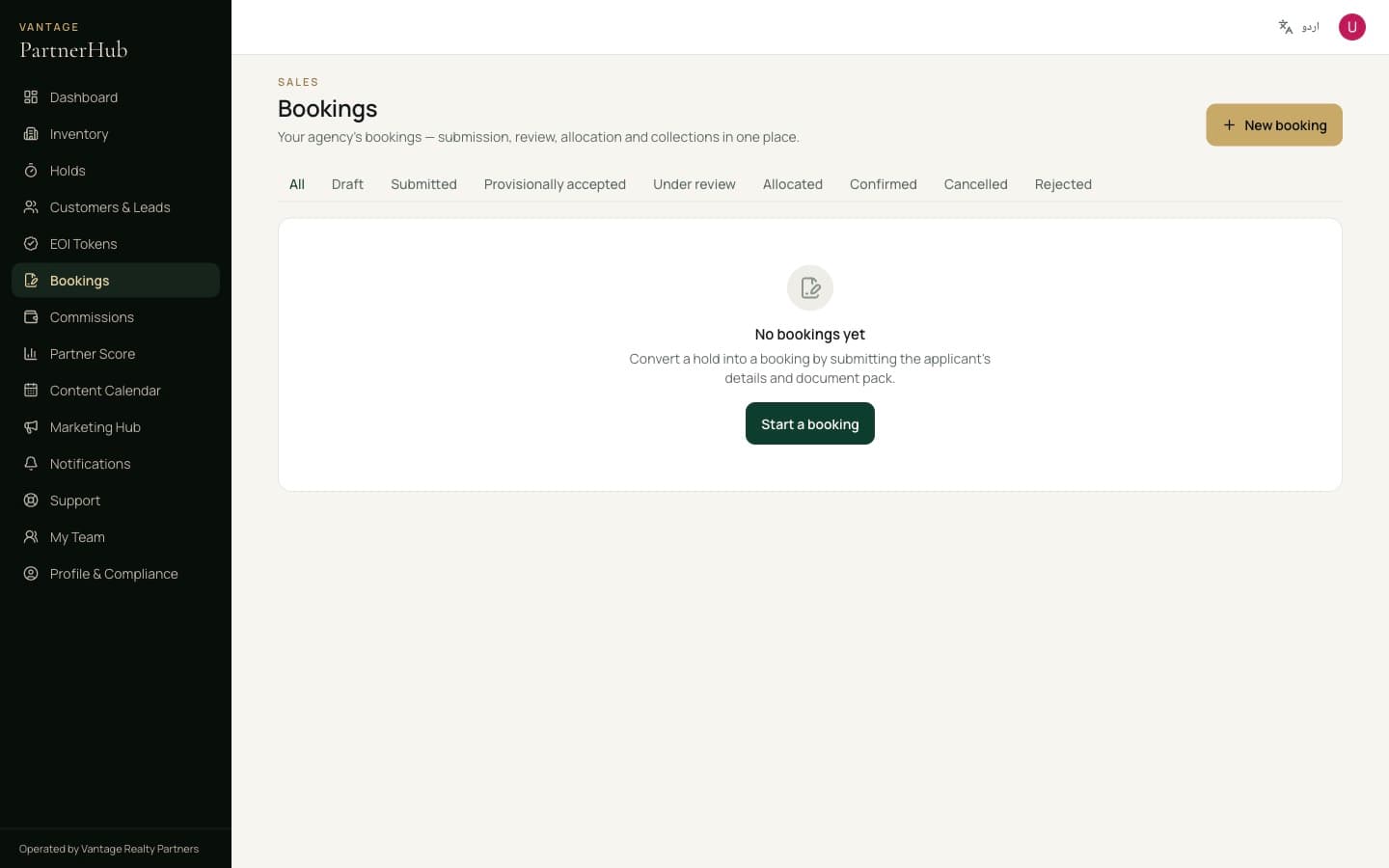
When your client is ready, turn the hold into a booking and follow it through documentation, compliance and payment. Each stage is visible, so you always know what is outstanding and with whom.

Bookings, before you have submitted your first.

Part four

Money and standing

What you have earned, and where you sit in the partner ladder.

4.1Commission

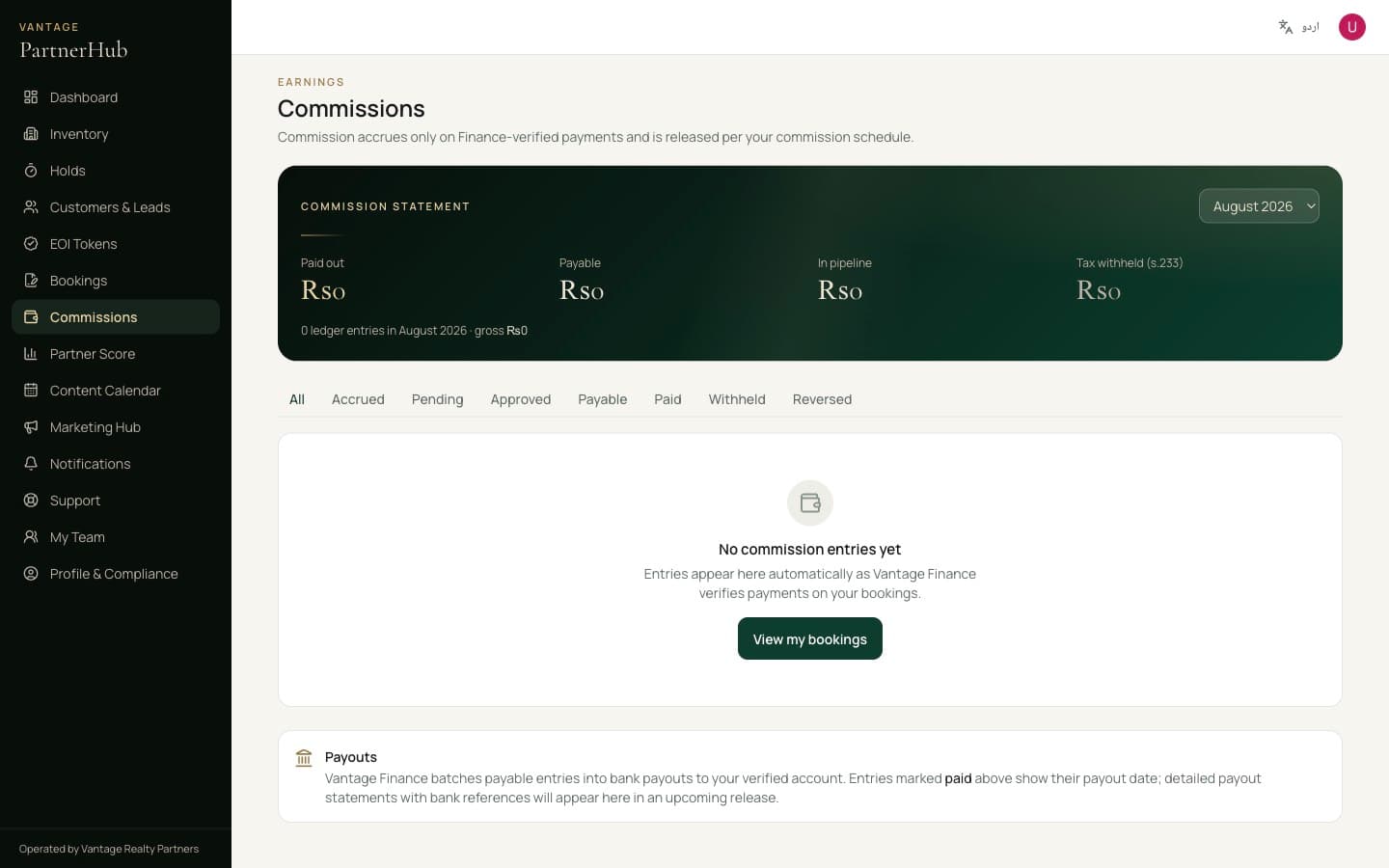
Commission is calculated on funds actually received and verified — never on a booking form alone. Every figure traces back to a payment you can point at. If a booking is cancelled or a client defaults, commission already credited is reversed.

The commission ledger: accrued, approved and paid, each line linked to the payment behind it.

4.2Partner Score

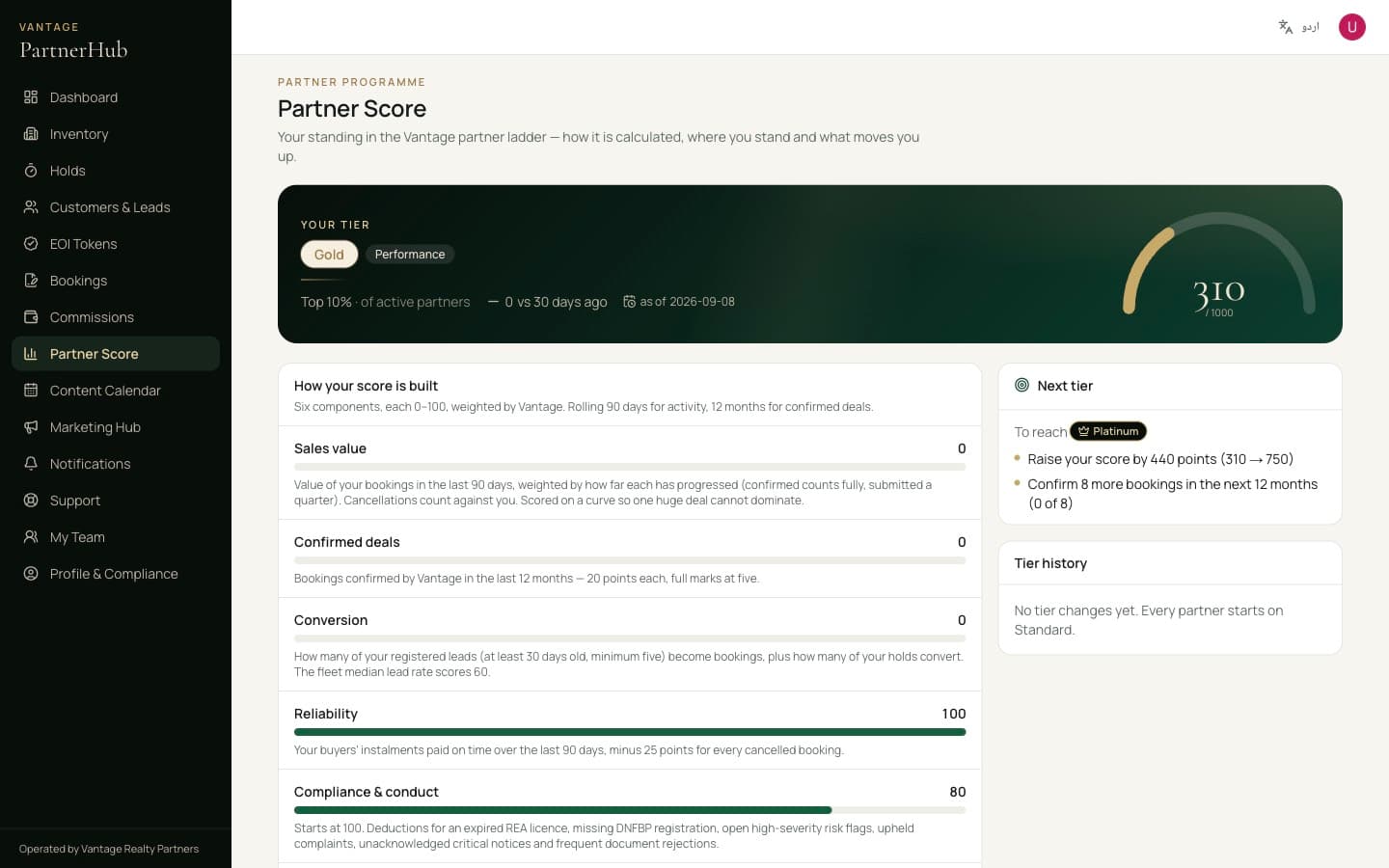
Your standing out of 1000, built from six components — sales value, confirmed deals, conversion, reliability, compliance and responsiveness. It is how performance tiers are earned, and the panel on the right tells you exactly what would move you up.

Every component with its weighting and how it is calculated. Nothing about your tier is hidden from you.

Part five

After the sale

When a client wants to sell on, the portal helps you find the buyer and see the transfer through.

5.1The Resale Board

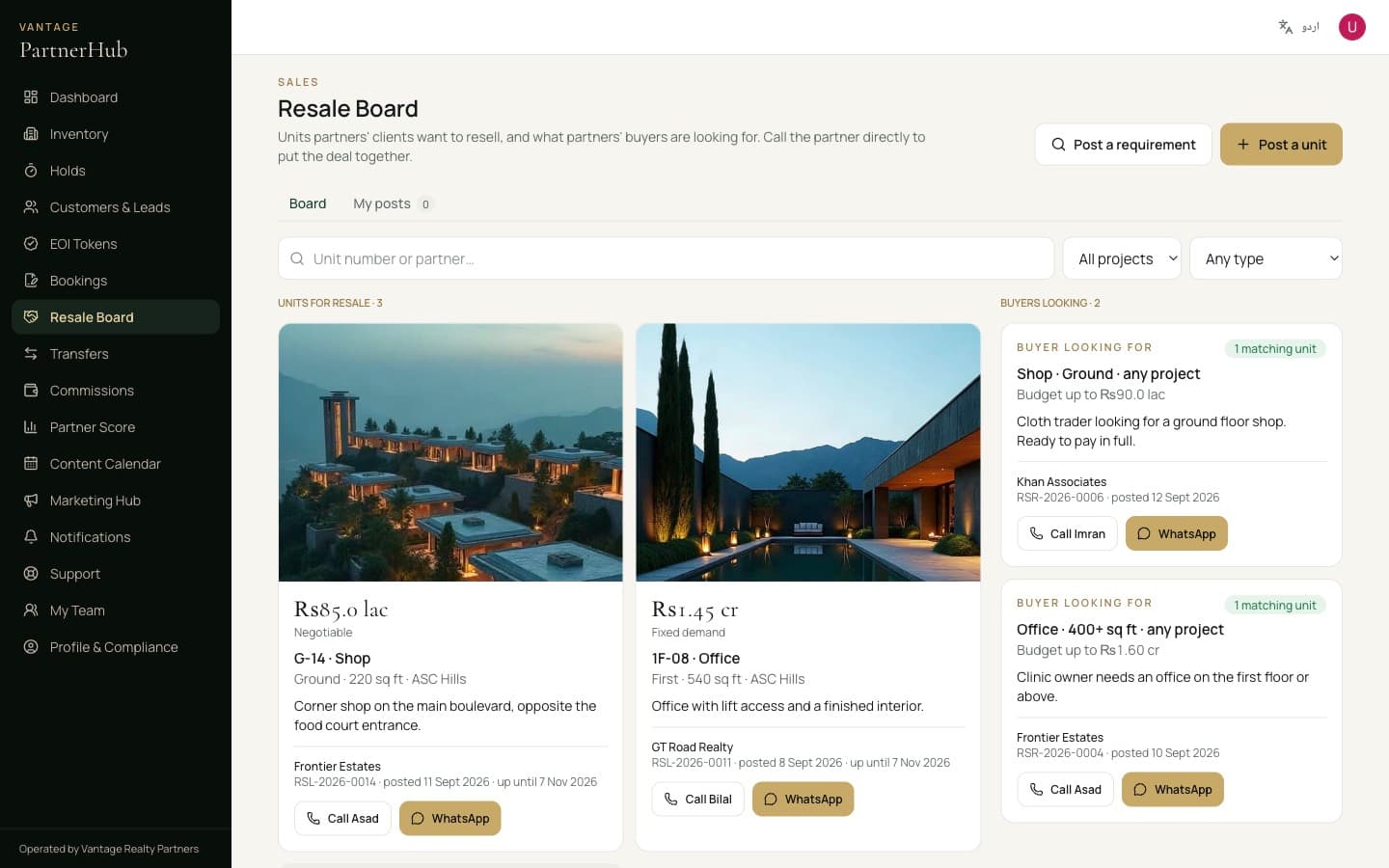
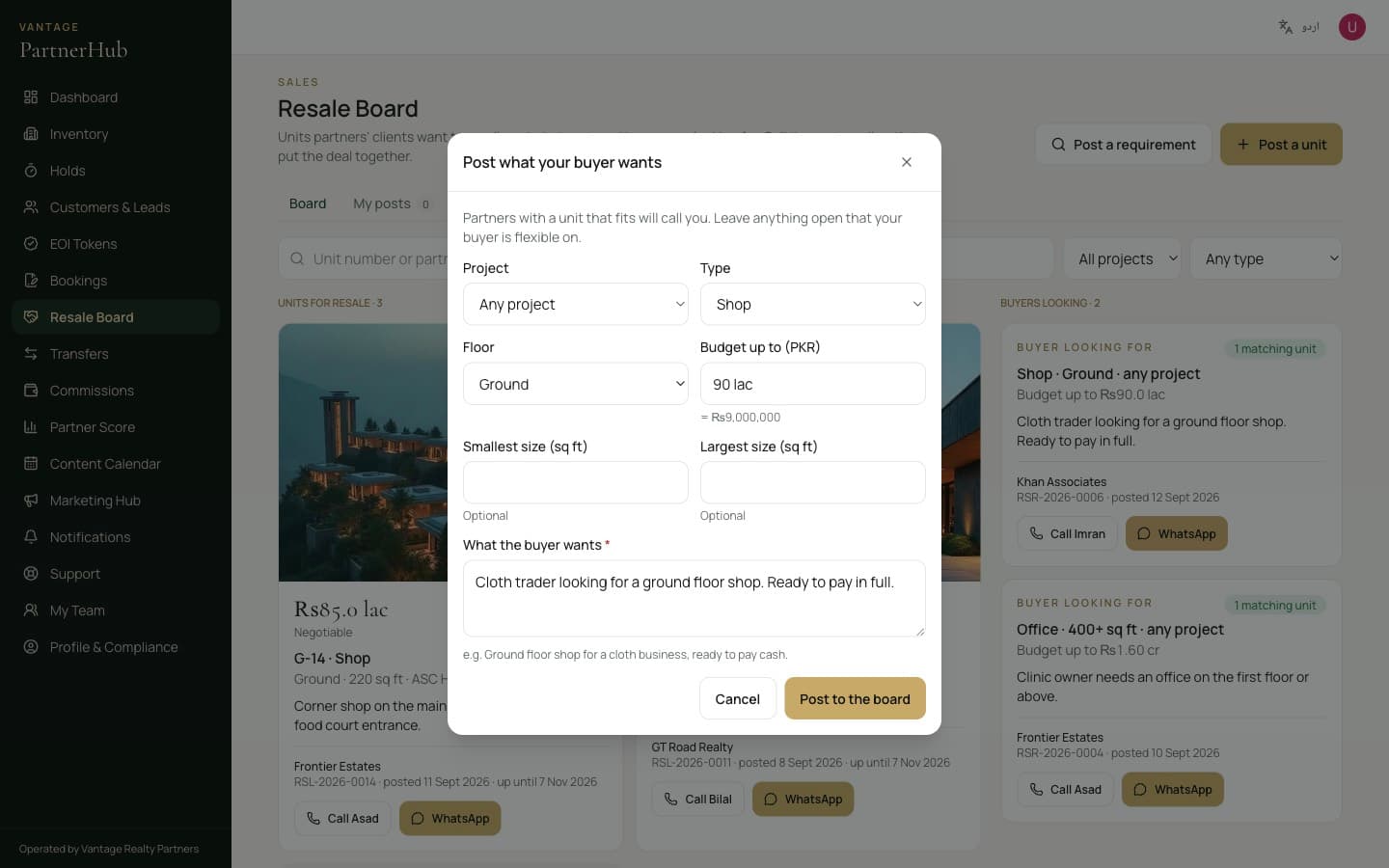
When a client wants to resell a unit they own, open the confirmed booking and press Resell this unit, or post it from the Resale Board. Add the demand, the size and a few photos.

The right-hand column is what other partners' buyers are looking for, with a count of the units on the board that match each one. Call or WhatsApp the partner straight from the card — the board introduces partners, it does not sell anything.

Posts stay up for 60 days. Mark a unit sold, change the demand or renew an expired post from My posts.

The Resale Board: units partners' clients want to resell on the left, what buyers are looking for on the right — each with a Call and a WhatsApp button.
Posting what your buyer wants. Leave open anything they are flexible on.

Only post what your client owns

Post a unit only when your client owns it and has asked you to sell it. Vantage takes down posts that are not accurate.

5.2Transfers: NDC and NOC

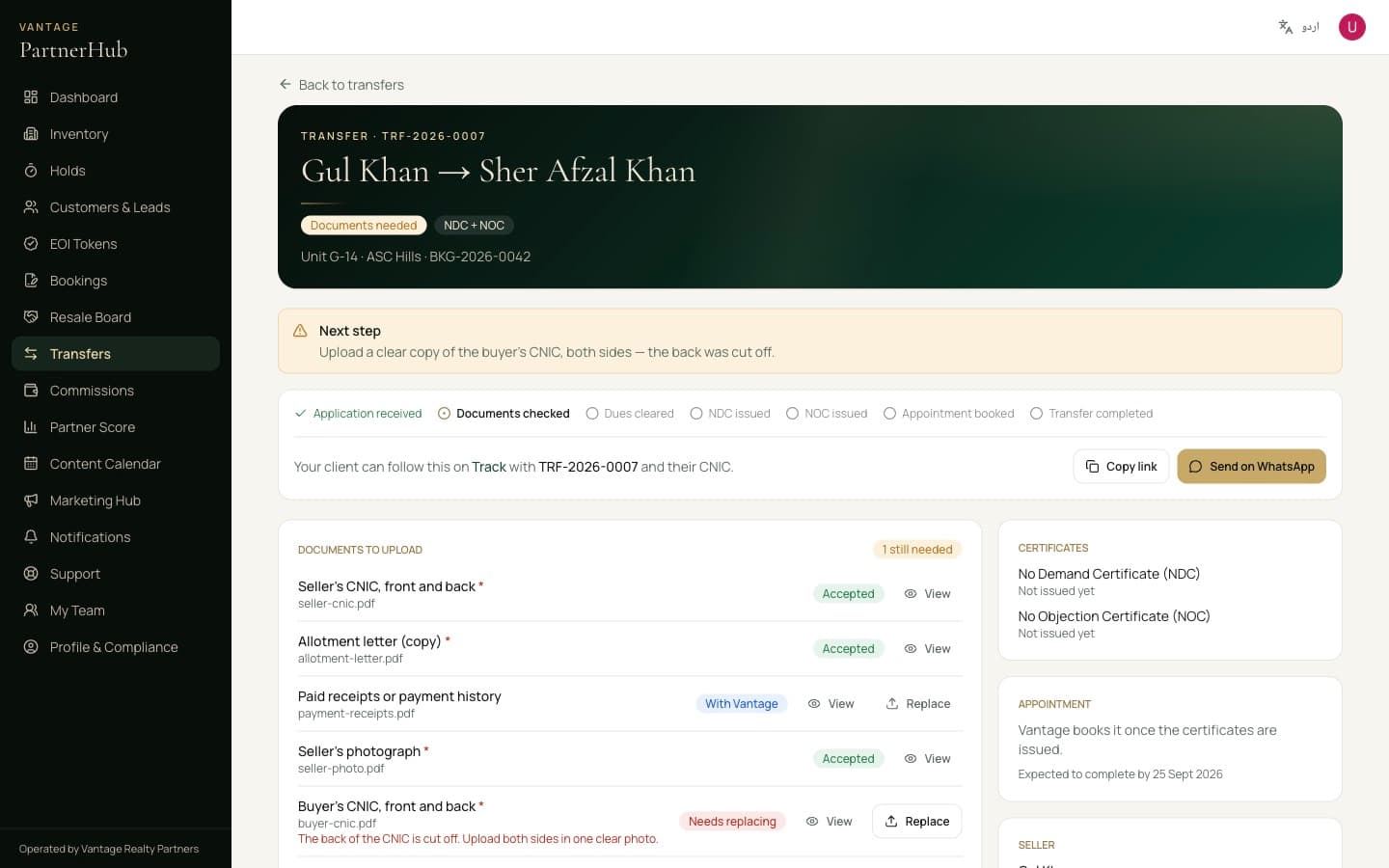
When the buyer is ready, open the confirmed booking and press Apply for NDC / NOC. The NDC confirms nothing is owed on the unit; the NOC lets the transfer go ahead, so it needs the buyer's details.

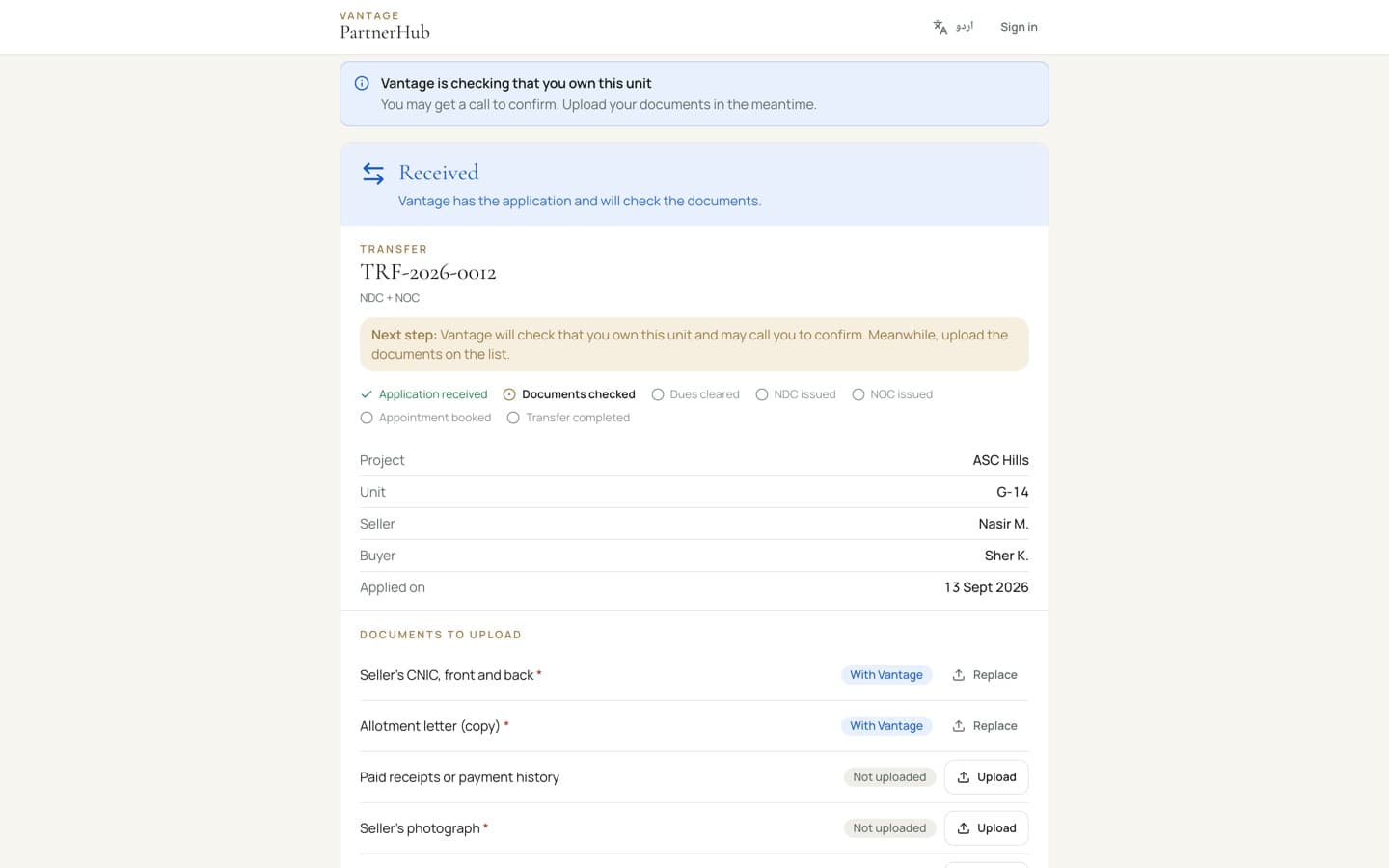
Upload every document on the checklist. Vantage checks each one, tells you what to replace, and sets any amount to pay — paid only into Vantage's account, quoting the TRF reference.

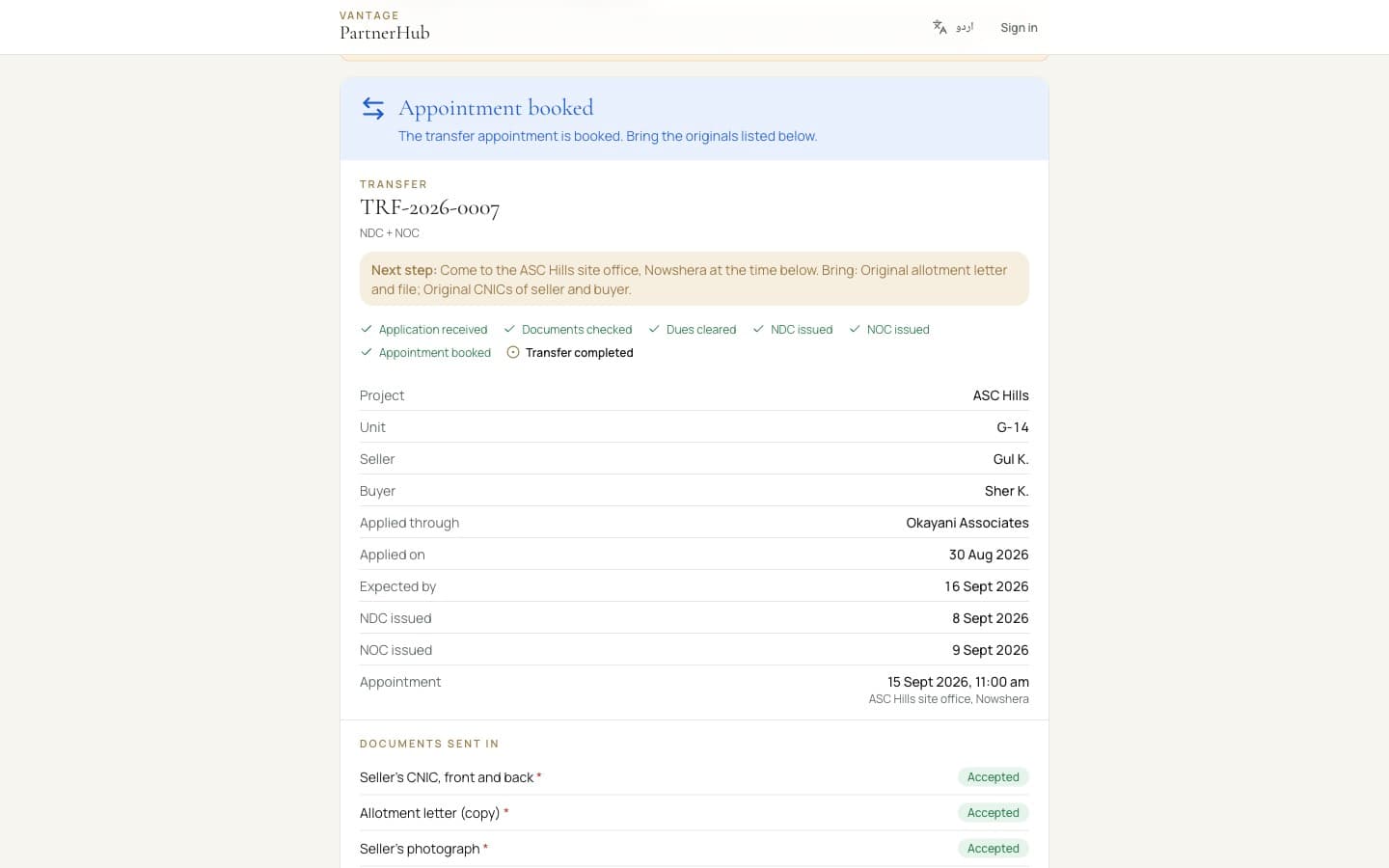
Once the certificates are issued, Vantage books the appointment, and only the originals are needed on the day. Your client gets an email at every step and can follow it on the Track page with the TRF reference and their CNIC.

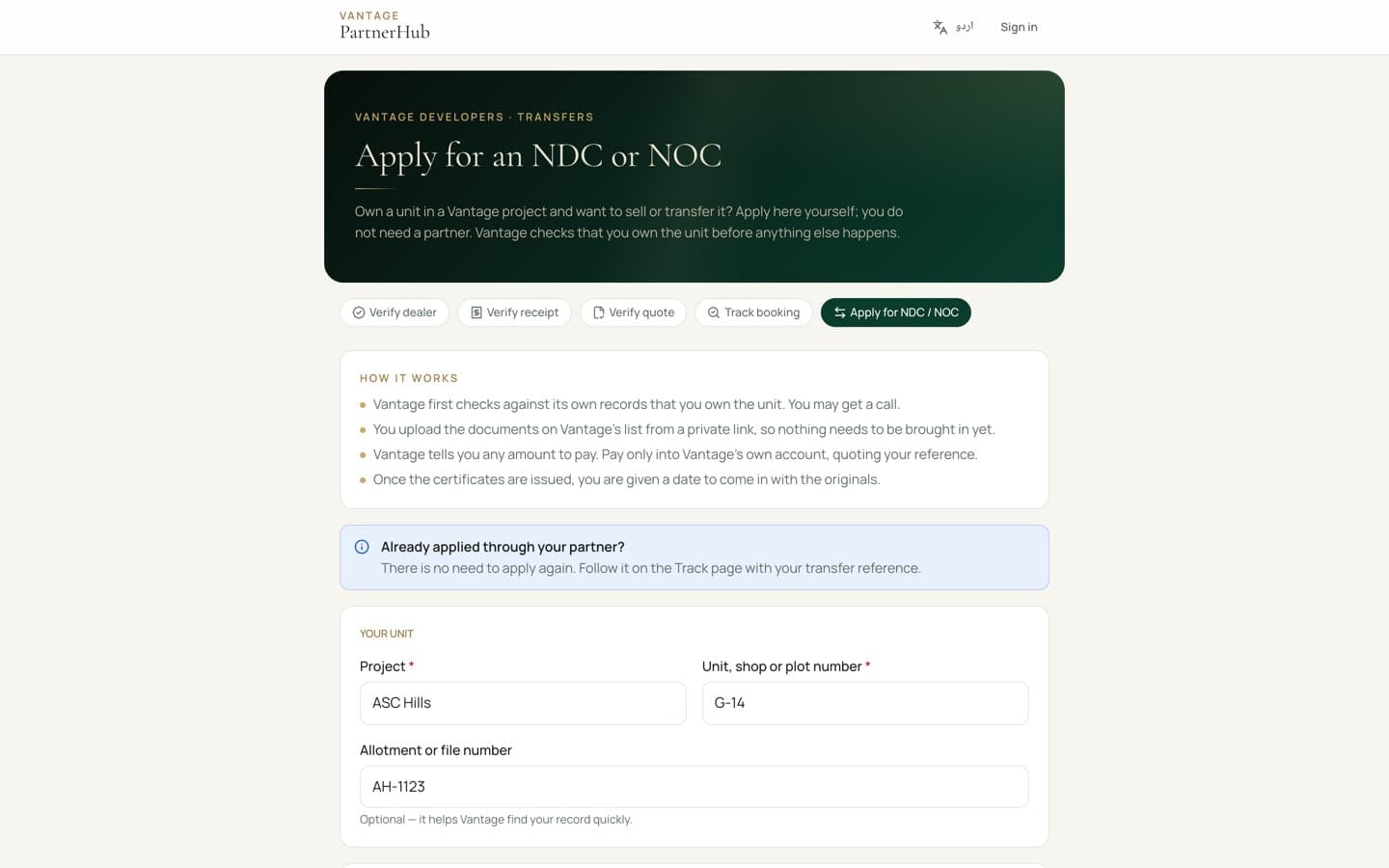
A client can also apply without you — useful when they bought straight from Vantage or before the portal. They apply at dealers.vantagedevelopers.com.pk/ndc, and Vantage checks against its records that they own the unit before asking for payment or issuing anything. Vantage's team can also open an application for any owner who comes in. Either way, the owner gets a private link to upload documents and follow it.

A transfer in progress: the next step at the top, every document with its status, and a link to send your client.
What your client sees on the Track page: where the transfer stands, what to bring, and when to come in.
An owner applying on their own at /ndc: no partner and no account needed. Vantage checks they own the unit before anything else.
The owner's private page: they upload the documents while Vantage checks they own the unit, and follow every step from there.

Owners can apply on their own

Point any owner to dealers.vantagedevelopers.com.pk/ndc. Vantage confirms against its records that they own the unit before asking for payment or issuing a certificate, so an application from the wrong person goes nowhere. Only one application can be open for a unit: if you have already applied, your client does not need to.

Part six

The rest of the portal

Marketing material, your team, and how to reach us.

6.1Marketing Hub and Content Calendar

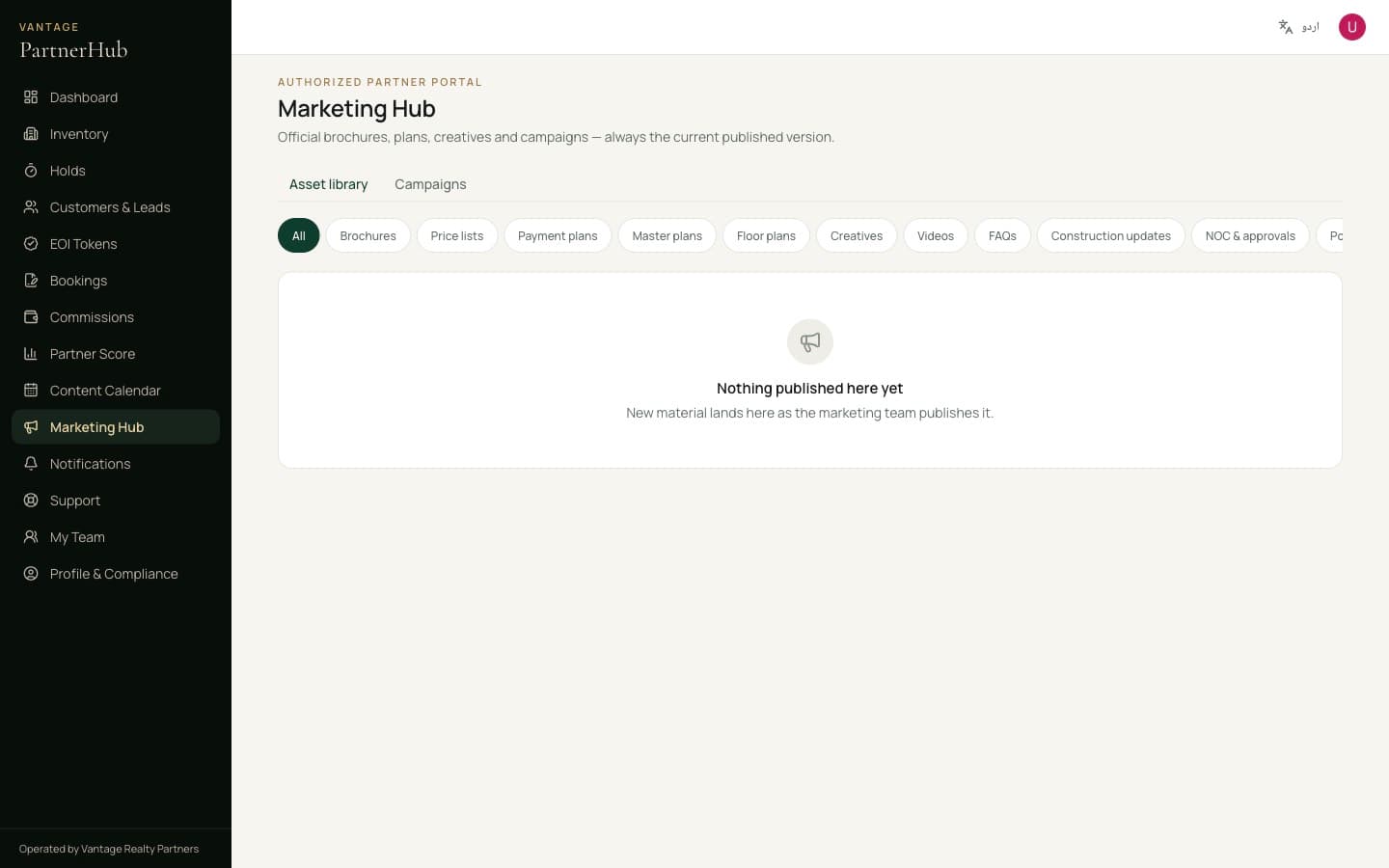
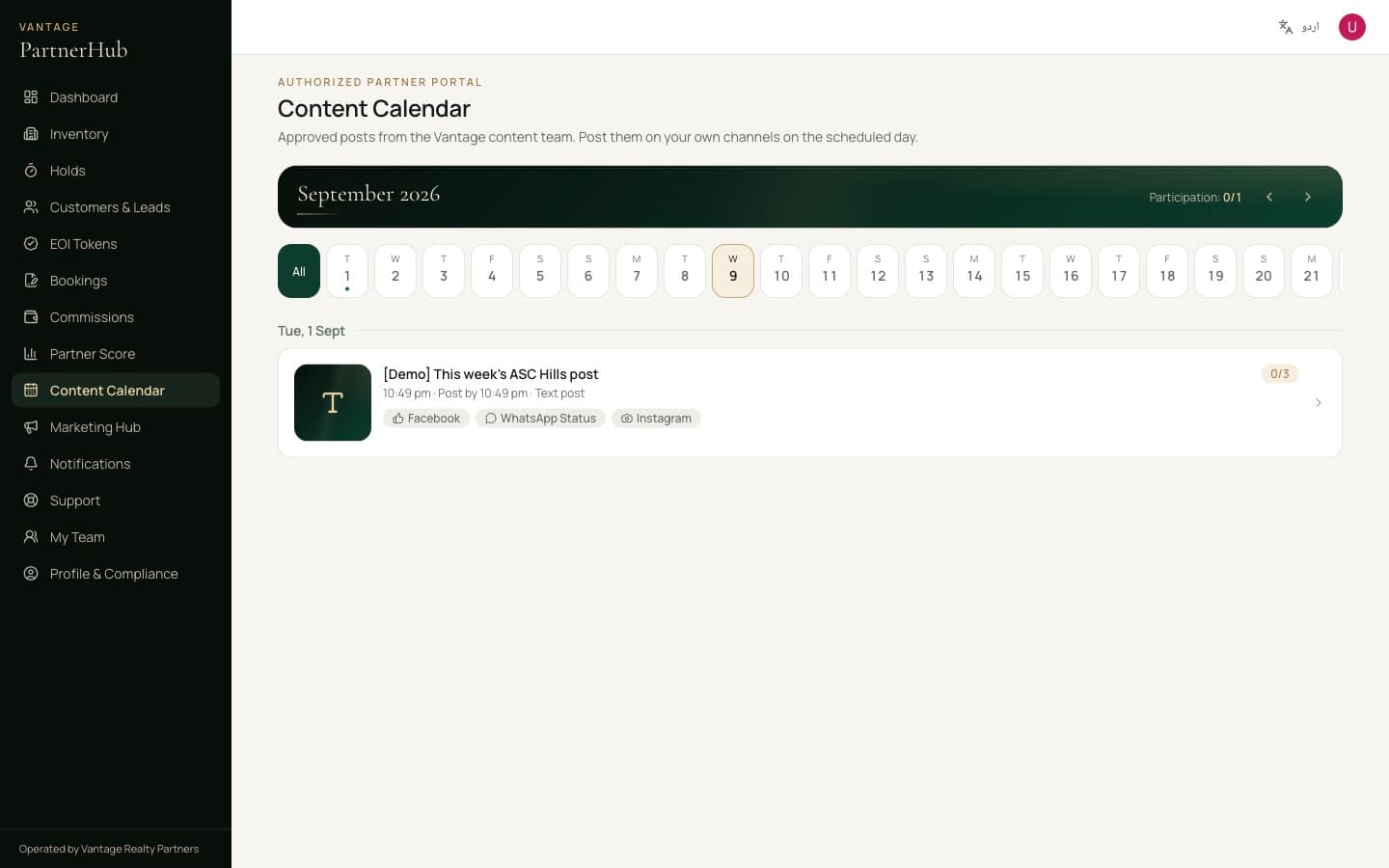
Approved creatives, current price lists and brochures, ready to download — plus a calendar of what to post and when. Use these rather than making your own: a post with a wrong price is a problem that lands on you.

Marketing Hub.
Marketing Hub.
Content Calendar.
Content Calendar.

6.2Your team, support and your profile

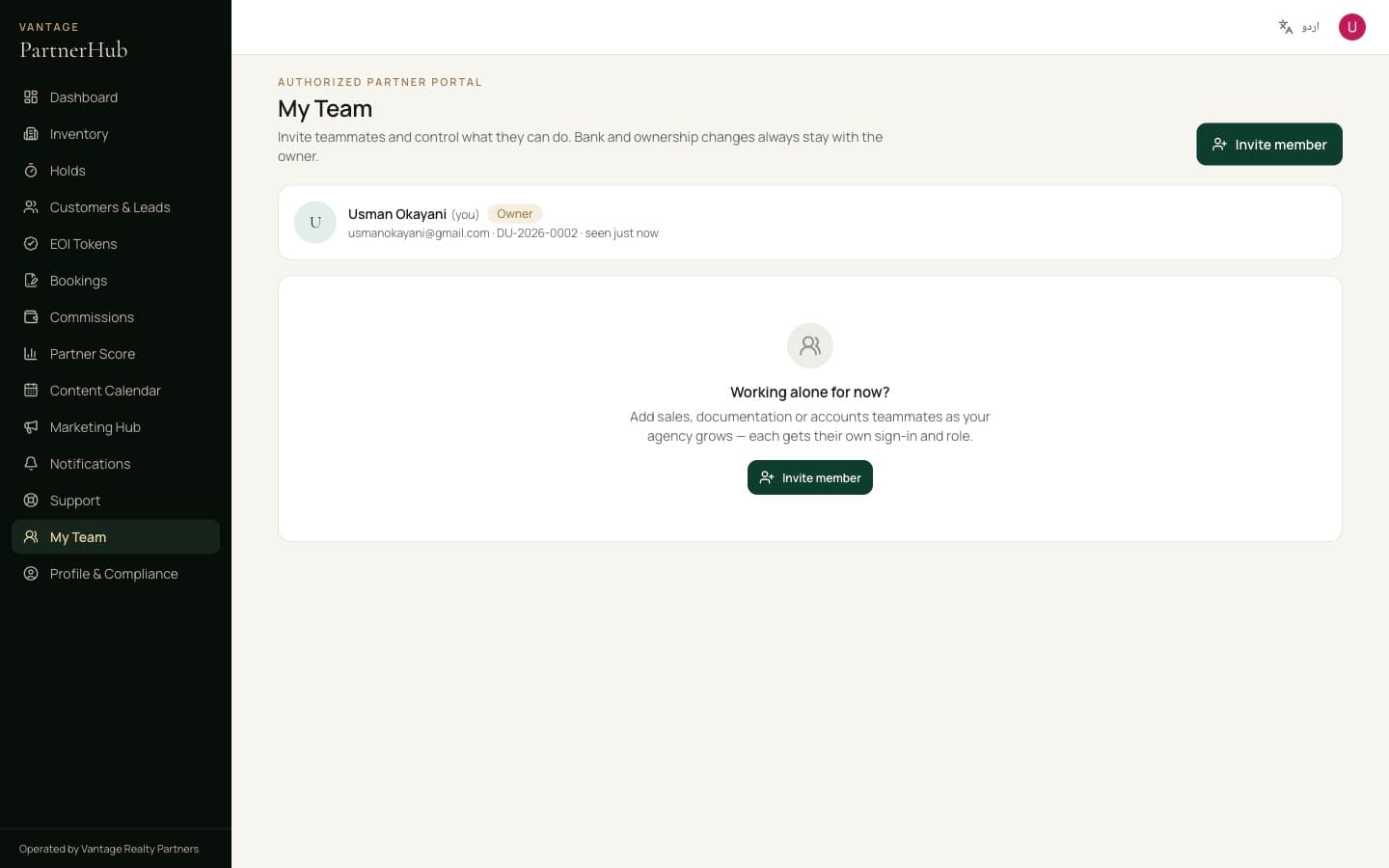
Invite your own sales staff and give them access — they get a link by email, set up their account with Google or a password, and see only what their role allows.

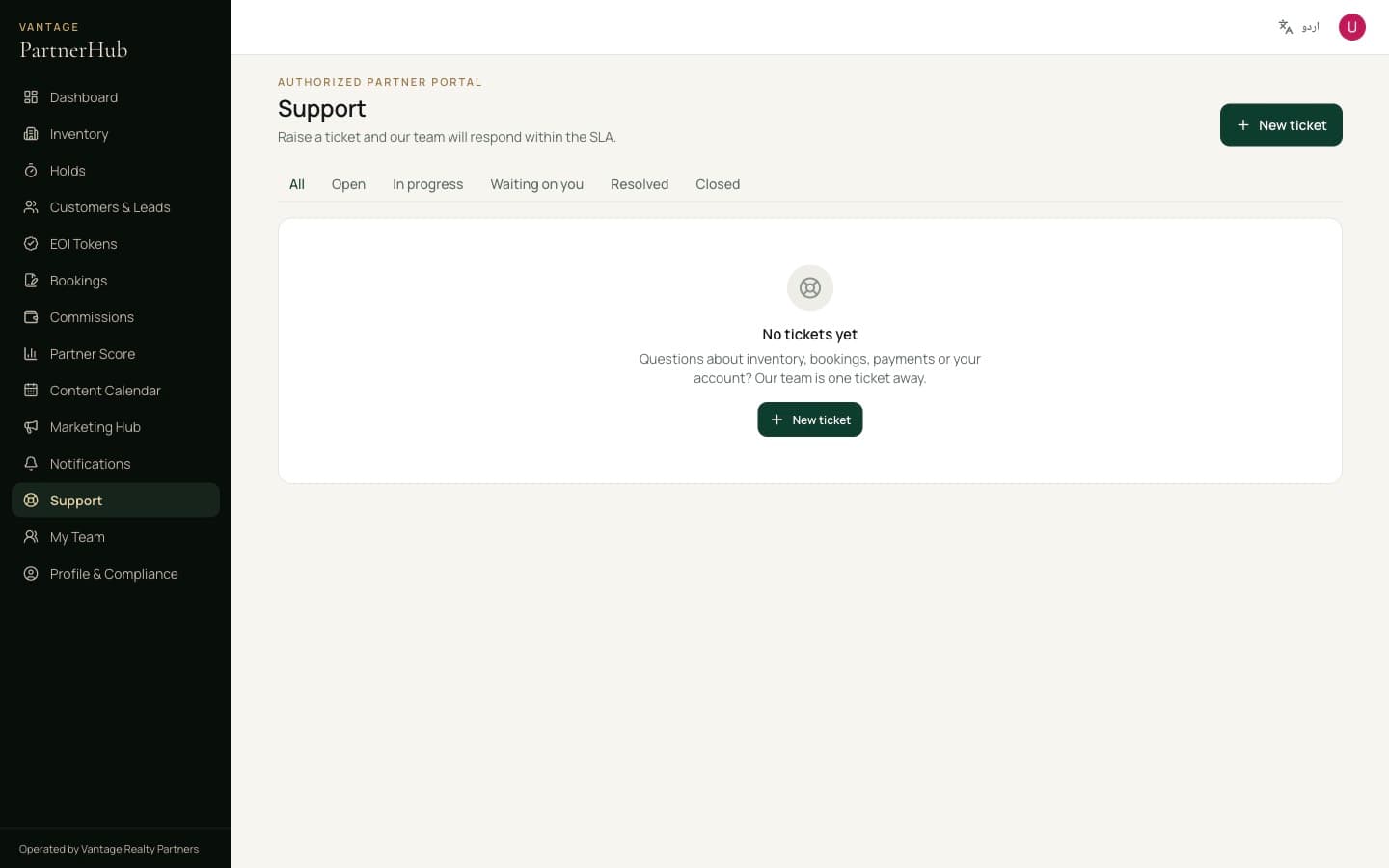
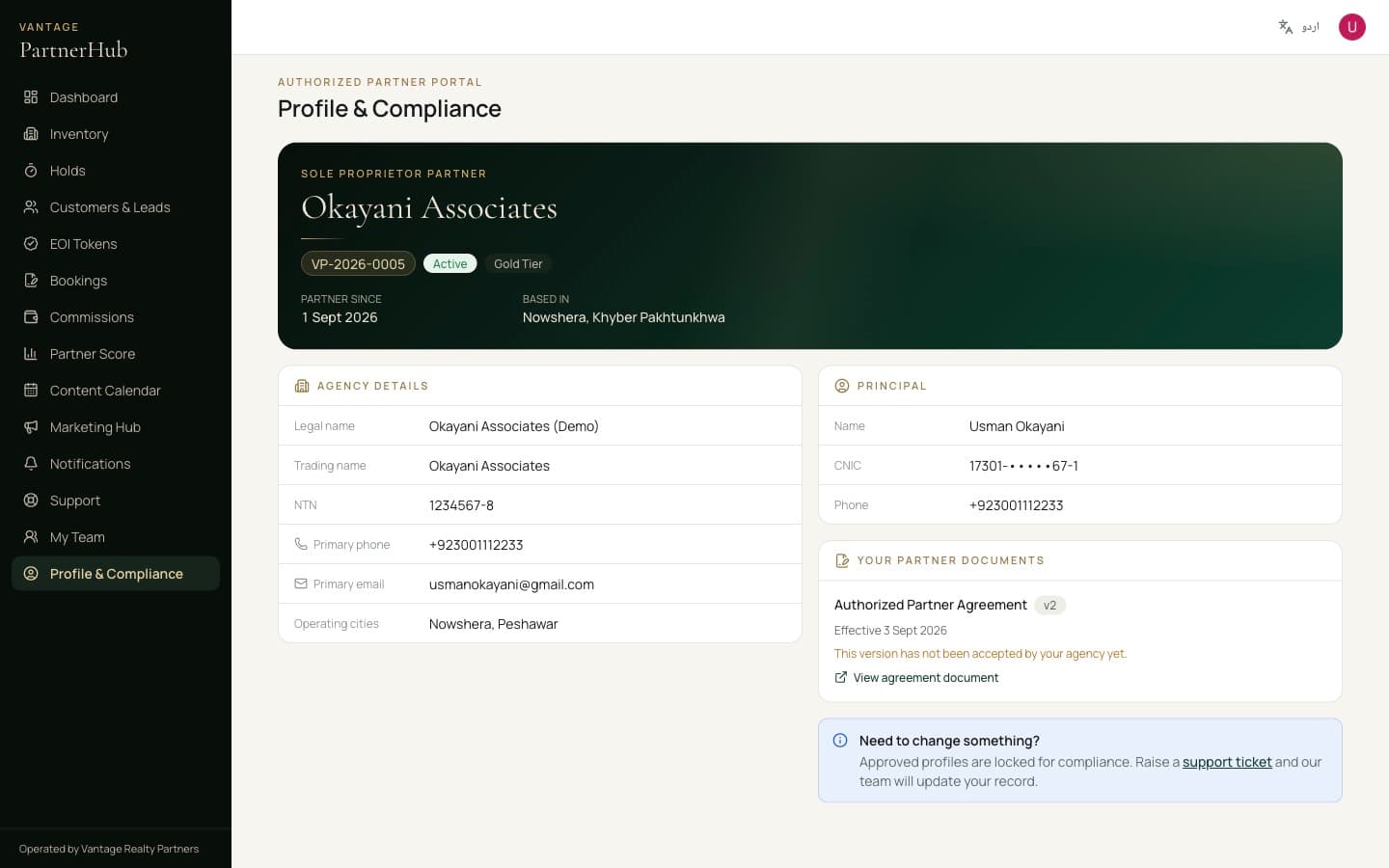
Raise anything through Support rather than WhatsApp, so there is a record and a response time attached to it. And if a document expires, replace it in Profile & Compliance — you never start an application over.

My Team.
My Team.
Support tickets, with the response time tracked on each.
Profile & Compliance.

Keep this

Six rules that matter most

Everything above is how the portal works. This is what keeps you an authorised partner.

  • Never take a customer's money

    No cash, ever — not as a favour, not as a token, not to hold a unit. Customers pay only into the official Vantage account printed on their quotation or receipt, in the name shown there.

  • Only Vantage issues receipts

    Never write your own receipt, allotment letter or confirmation. Every genuine payment produces an official receipt your client can verify online.

  • Quote only what the portal shows

    Do not change a price, a payment plan or a discount. Only what is published here is authorised.

  • Promise nothing that is not yours to promise

    No possession dates, no guaranteed rent, no resale profit, no allotment. “Subject to availability and the published payment plan” — because it is.

  • You are an authorised partner, not Vantage

    You run your own independent business. Describe yourself as an authorised partner of Vantage, never as Vantage itself.

  • Tell us early when something goes wrong

    A mistake reported quickly is a problem we solve together. One we find out about later is a breach.

Still stuck?

Raise it in Support inside the portal, or call +92 328 11 70000. Read the partner documents.